Independent Victron specialist

Professional Remote Victron Energy Support & Configuration

Get expert help configuring, troubleshooting and optimizing your Victron Energy system — after a free check that the work can actually be done remotely.

  • Remote support worldwide
  • Independent Victron technical specialist
  • VRM monitoring and remote configuration where supported
  • Free pre-check before you pay
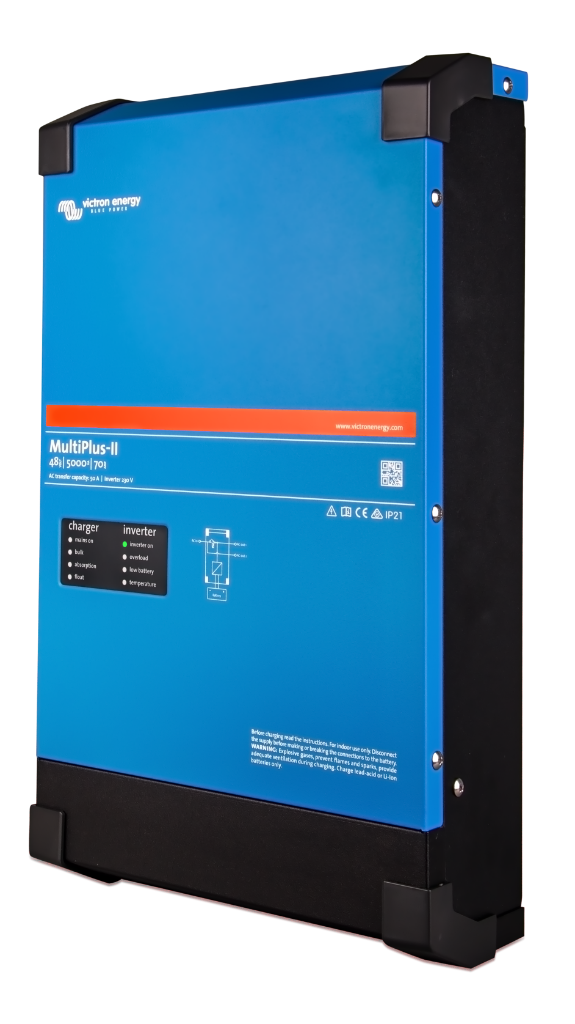
Victron MultiPlus-II inverter/charger

Independent technical support. This is not an official Victron Energy website, installer programme or authorized service partner listing.

Remote Victron Services

VRM monitoring is not the same as remote control. A free pre-check confirms what can actually be changed remotely before you pay.

MultiPlus & Quattro Configuration

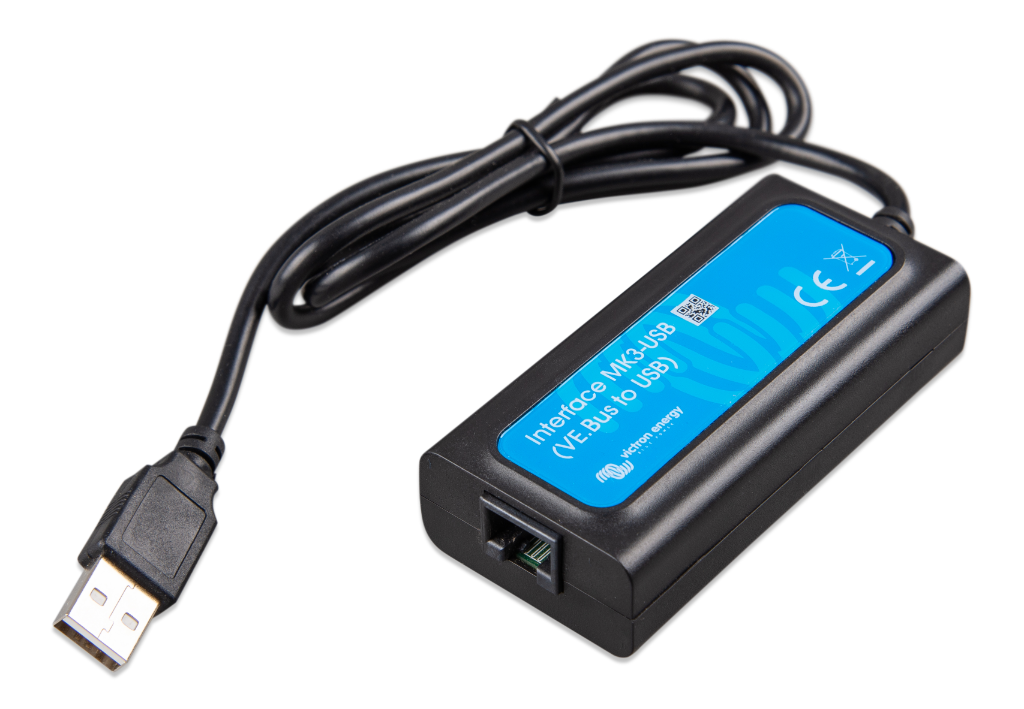
Remote setup for MultiPlus, MultiPlus-II, MultiPlus-II GX, Quattro, EasySolar and Multi RS when a GX device is online in VRM with Full access. This is not a wiring visit.

  • MultiPlus, MultiPlus-II, MultiPlus-II GX, Quattro and EasySolar via Remote VEConfigure
  • Multi RS via VictronConnect Remote (VC-R) over VRM
  • Requires a GX device, internet, VRM and Full access
  • Parallel and three-phase VE.Bus systems, subject to compatibility
  • Physical AC/DC wiring is not included

Check Remote Compatibility

ESS Configuration & Optimization

Energy Storage System setup for grid-connected Victron installations. Offered remotely after the GX access and specific ESS settings are verified.

  • ESS configuration after remote verification
  • Grid setpoint and BatteryLife settings
  • Dynamic ESS parameters where supported
  • Grid and battery operation optimization
  • VRM monitoring is not the same as changing ESS control settings
Check Remote Compatibility

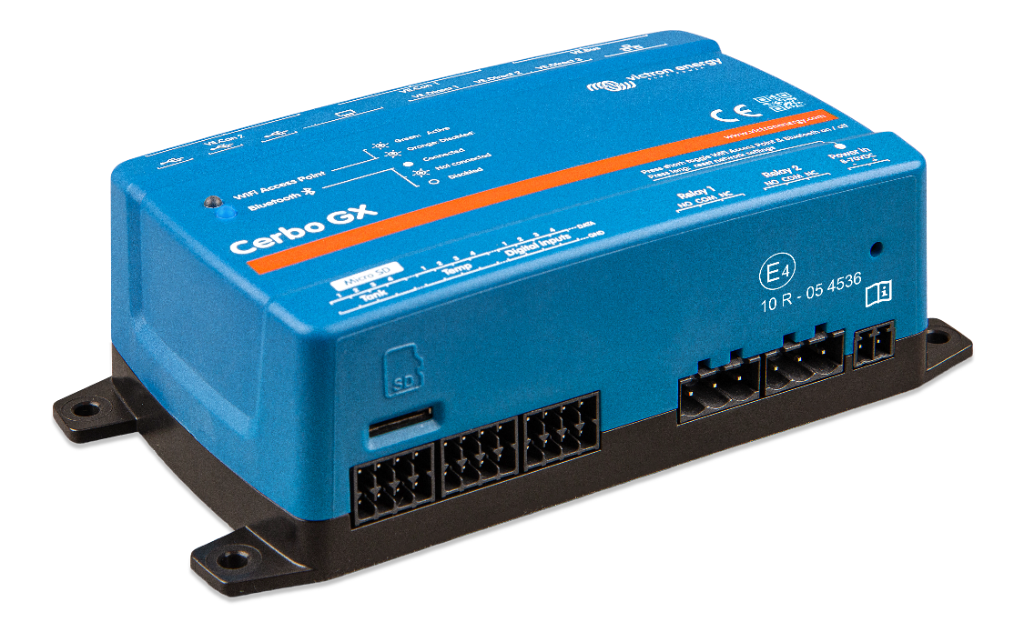
Cerbo GX & VRM Setup

GX commissioning, remote monitoring and alarms. VRM can show history; changing GX settings depends on the remote interface and firmware.

  • Cerbo GX configuration where remotely accessible
  • VRM Portal setup and monitoring
  • Alarm configuration
  • Firmware updates for supported connected products
  • Not a substitute for on-site GX wiring or power supply work
Check Remote Compatibility

Battery & BMS Integration

Lithium communication, DVCC and charge limits can often be reviewed remotely. CAN wiring, termination and physical BMS connections need someone on site.

  • DVCC and charge/discharge limit review
  • CAN / VE.Can compatibility checks
  • BMS integration guidance
  • Remote settings where the BMS is already communicating
  • Physical CAN wiring is only partially remote — often on-site
Check Remote Compatibility

MPPT Configuration

Solar charge controller work depends on the model and communication interface. Remote firmware updates and remote parameter changes are not the same thing.

  • MPPT charging profile review where the interface allows it
  • Absorption and float voltage guidance
  • PV diagnostics from VRM data
  • VE.Direct MPPTs cannot always be reconfigured through VRM
  • Local VictronConnect access may still be required
Check Remote Compatibility

Troubleshooting & Diagnostics

Remote analysis of Victron communication, charging and inverter issues using VRM history. Diagnosis is not the same as changing every device setting.

  • VRM system analysis and historical data
  • Communication and charging diagnostics
  • Incorrect battery SOC investigation
  • Supported remote configuration where access allows it
  • Physical inspection of wiring is not included
Check Remote Compatibility

Choose Your Remote Support Service

Consultation can be booked immediately. Configuration services start with a free remote compatibility check. Checkout is handled securely by Paddle.

Initial Technical Consultation (30 min)

A focused remote session to review your Victron system, identify what can be done over VRM versus what needs someone on site, and recommend the right next step.

Loading price...

Basic Configuration

Core remote setup for a single MultiPlus, MultiPlus-II, Quattro, EasySolar, Multi RS, GX device or supported MPPT. Starts with a free compatibility check — VE.Bus units use Remote VEConfigure; Multi RS uses VictronConnect Remote.

Loading price...
Check Remote Compatibility

Advanced Configuration

Deeper remote configuration covering ESS, DVCC, battery communication and multi-device systems, after the installation is verified as remotely accessible.

Loading price...
Check Remote Compatibility

Troubleshooting & Diagnostics

Structured remote diagnosis using VRM monitoring and configuration review. VRM access shows data; changing settings still depends on Full access and the connected products.

Loading price...
Check Remote Compatibility

Complex System Configuration

Parallel, three-phase or multi-inverter VE.Bus systems. These are reviewed before payment because Remote VEConfigure has compatibility limits.

Loading price...
Check Remote Compatibility

Full System Audit & Report

Complete remote review of your Victron installation with configuration notes and a written summary. Needs an internet-connected GX device registered in VRM.

Loading price...
Check Remote Compatibility

What I can do remotely

Having VRM access does not mean every setting can be changed. Remote VEConfigure, firmware updates and monitoring are different tools, with different requirements.

ServiceRemote?Requirements
VE.Bus inverter/charger configurationYesMultiPlus, MultiPlus-II, MultiPlus-II GX, Quattro and EasySolar via Remote VEConfigure. Needs a GX device, VRM, Full access and compatible firmware. The GX should be powered directly from the battery. Supports single, parallel and three-phase VE.Bus systems, subject to compatibility limitations.
Multi RS configurationYesMulti RS is configured through VictronConnect Remote (VC-R) over VRM, not Remote VEConfigure. Needs a GX device online in VRM with Full access and VictronConnect 5.20 or later.
ESS configurationYes, after verificationDepends on GX access and the specific ESS settings required.
Cerbo GX configurationYes, after verificationGX device accessible through a supported remote interface.
VRM monitoring and diagnosticsYesInternet-connected GX device registered in VRM.
MPPT configurationNot alwaysDepends on the controller and available communication interfaces.
Battery / BMS integrationPartiallyDepends on BMS, CAN compatibility and physical wiring.
Firmware updatesYesCompatible device, GX connection and VRM access.
Physical wiring changesNoSomeone physically present on site.

How Remote Support Works

A free compatibility check first — then payment only when remote work is actually possible.

1

Check Remote Compatibility

A free 2–3 minute pre-check of your inverter, GX device, VRM access and the work you need. If you already know the system is eligible, you can confirm that and go to payment.

2

Instant Result or Specialist Review

Most compatible systems can continue to payment immediately. Unclear cases, MPPT/BMS questions, or a requested specialist check stay in review — nothing is charged yet.

3

Payment

Pay securely with Paddle only after the system is approved, or after you confirm eligibility yourself. Consultation can be booked without the questionnaire.

4

Remote Session

Connect via Google Meet or another agreed method. I use VRM for monitoring and, where supported, Remote VEConfigure, VictronConnect Remote or firmware tools for control — they are not the same thing.

Victron Equipment I Work With

Official product names for the Victron Energy range I configure and diagnose remotely.

Inverters

  • MultiPlus
  • MultiPlus-II
  • MultiPlus-II GX
  • Quattro
  • EasySolar
  • Multi RS

Solar Charge Controllers

  • SmartSolar MPPT
  • BlueSolar MPPT
  • MPPT RS

GX Devices

  • Cerbo GX
  • Ekrano GX
  • Color Control GX
  • Venus GX

Other

  • SmartShunt
  • BMV
  • Lynx
  • VE.Bus devices
  • Lithium batteries and BMS integrations

About Your Victron Technical Specialist

I am an Electrical Automation Engineer specializing in power electronics, energy systems and Victron Energy equipment.

I work with Victron inverter systems, solar charge controllers, battery management systems and GX monitoring devices.

My experience includes configuring and troubleshooting:

  • MultiPlus-II systems
  • ESS installations
  • Lithium battery systems
  • CAN bus and BMS communication
  • Parallel and three-phase Victron systems
  • VRM monitoring and remote configuration

My goal is to help Victron users worldwide get the most out of their energy systems through professional remote technical support.

I am an independent specialist. This page does not represent Victron Energy as an official installer, distributor or authorized service partner.

Serhii Bereshchuk, Victron technical specialist

Serhii Bereshchuk

Electrical Automation Engineer

Victron Energy Certifications & Training

Professional Victron training completed independently. Certificates can be opened in full size.

Frequently Asked Questions

Remote support covers configuration and diagnostics. It does not replace a physical inspection of electrical connections or installation safety.

A GX device such as Cerbo GX or Ekrano GX is required for most remote VRM work. Remote VEConfigure for MultiPlus, MultiPlus-II, Quattro and EasySolar needs Venus OS 2.17 or later, an internet connection, Full access in VRM, and the GX powered from the battery. Multi RS is configured through VictronConnect Remote (VC-R) over VRM instead. Some screen-share configuration is still possible without VRM.

No. VRM monitoring shows live and historical data. MultiPlus, MultiPlus-II, Quattro and EasySolar settings use Remote VEConfigure. Multi RS uses VictronConnect Remote over VRM. Firmware updates support specific connected products. Some MPPT and BMS changes need a suitable communication interface or someone on site. The free pre-check exists to tell these apart before payment.

Separate guides cover connecting a GX device to the internet, registering the installation in VRM, and enabling Full access. Each uses Victron Energy screenshots. Never send a VRM password. Open the How to page.

The 30-minute consultation can be booked immediately. Configuration, troubleshooting, complex and audit services use a free technical pre-check. Most compatible systems are approved automatically so you can pay right away. You can also confirm you already know the system is eligible and skip the form, or ask a specialist to review it first. Never send a VRM password.

Most configuration, ESS setup, GX settings and diagnostics can be completed remotely via VRM, Remote VEConfigure, VictronConnect Remote or screen share — after compatibility is checked. Physical wiring, CAN termination and electrical installation are not included and are not sold as remote service.

Yes. Support is independent of where you bought the equipment.

Often partially. I regularly work with Victron-compatible lithium batteries, CAN-bus communication and DVCC. Compatibility depends on the specific battery and BMS. Physical CAN wiring usually needs someone on site.

Yes. Troubleshooting and diagnostics is one of the core services, including communication issues, incorrect battery SOC, charging problems and VRM analysis.

Yes, subject to Remote VEConfigure compatibility. Parallel and three-phase systems are reviewed before payment because not every VE.Bus combination can be changed remotely.

The pre-check asks for inverter model, GX device, battery, BMS communication, VRM connection, Full access, a short description, and optional screenshots of the VRM Device List, GX information page or an error. Do not send VRM passwords or other account credentials.

No. Remote support covers configuration, diagnostics and recommendations only. It does not replace an on-site electrician or a physical inspection of wiring and electrical safety.

Need Help With Your Victron System?

For a booking, use the free remote compatibility check. For a quick question, send a description of your system and the issue — no VRM passwords, please.

PDF, JPG, PNG or WebP. Max 10 MB.

Used only to follow up on your Victron support request.